26 November 2025 · 2 min read
Flutter Push Notifications with FCM: Token and Topic Messages
How to send token-based and topic-based push notifications from a Node.js backend to a Flutter app using Firebase Cloud Messaging.
Push notifications show up in most kinds of apps: order status in a shop, new messages in a social app, breaking news in a news app. In Flutter, Firebase Cloud Messaging (FCM) lets you send them either to one device by token or to everyone subscribed to a topic. This post builds both with a Flutter app and a Node.js backend.
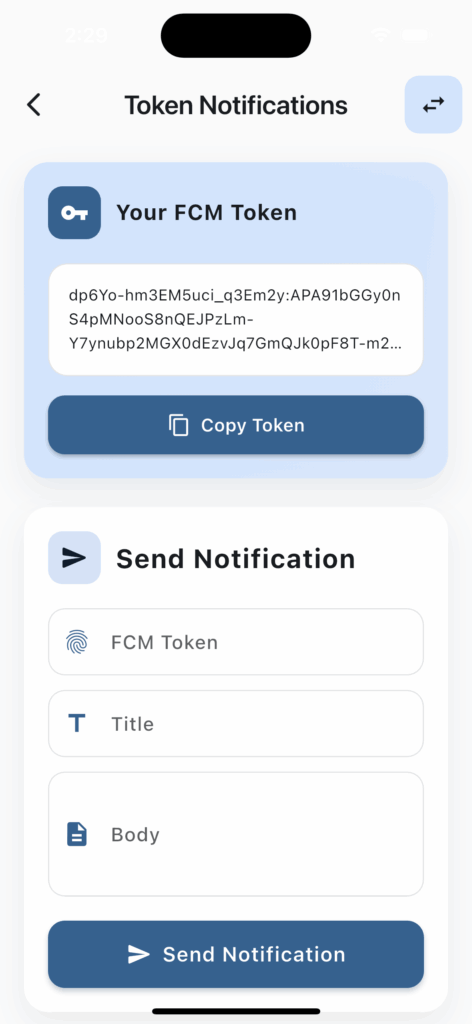
Project structure
The project has two parts: the Flutter app and a Node.js Express server. The app receives notifications through Firebase Messaging. The server sends them with the Firebase Admin SDK.
Firebase Messaging service
This is the service that sets up Firebase Messaging in the Flutter app:
class FirebaseMessagingService {
  static final FirebaseMessagingService _instance =
      FirebaseMessagingService._internal();

  factory FirebaseMessagingService.instance() => _instance;

  Future<void> init({required LocalNotificationsService localNotificationsService}) async {
    _localNotificationsService = localNotificationsService;
    _requestPermission();
    await _initializeNotificationSubscription();
    FirebaseMessaging.onBackgroundMessage(_firebaseMessagingBackgroundHandler);
    FirebaseMessaging.onMessage.listen(_onForegroundMessage);
  }

  Future<void> subscribeToGeneralTopic() async {
    await FirebaseMessaging.instance.subscribeToTopic('everyone');
    await SharedPreferencesHelper.setNotificationEnabled(true);
  }

  Future<String?> getFCMToken() async {
    return await FirebaseMessaging.instance.getToken();
  }
}
It runs when the app starts and asks the user for notification permission. It also handles subscribing to topics and getting the FCM token. It is a singleton, so the whole app uses one instance. When a notification arrives in the foreground, the app shows it as a local notification. In the background or terminated state, Firebase's own notification system takes over.
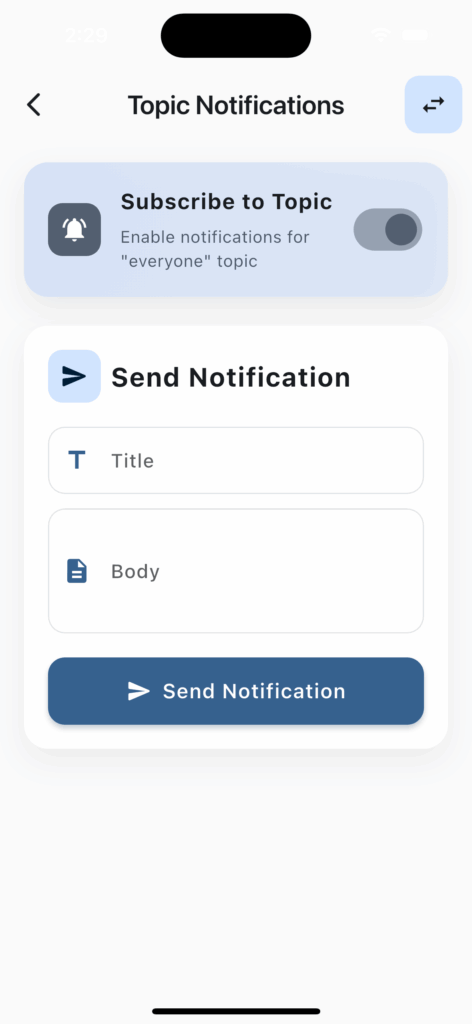
Backend endpoints
The backend has two main endpoints, one for topic notifications and one for token notifications. A topic notification goes to every user subscribed to that topic. A token notification goes to one device only. That covers both general announcements and personal messages.
// Send a topic notification
app.post("/api/topic/notify", async (req, res) => {
  try {
    const { title, body } = req.body;

    const message = {
      notification: { title, body },
      topic: "everyone",
    };

    const response = await admin.messaging().send(message);
    res.json({
      success: true,
      messageId: response,
      message: "Notification sent successfully",
    });
  } catch (error) {
    res.status(500).json({
      success: false,
      error: error.message,
    });
  }
});
API service and HTTP requests
The Flutter app talks to the backend with the Dio package, an HTTP client that supports async/await:
class ApiService {
  static const String baseUrl = 'http://localhost:3000';
  final Dio _dio = Dio();

  ApiService() {
    _dio.options.baseUrl = baseUrl;
    _dio.options.connectTimeout = const Duration(seconds: 5);
    _dio.options.receiveTimeout = const Duration(seconds: 5);
  }

  Future<ApiResponse> sendTopicNotification(String title, String body) async {
    try {
      final response = await _dio.post(
        '/api/topic/notify',
        data: {'title': title, 'body': body},
      );

      if (response.statusCode == 200) {
        return const ApiResponse(
          success: true,
          message: 'Notification sent successfully',
        );
      }
      return const ApiResponse(
        success: false,
        message: 'Failed to send notification',
      );
    } on DioException catch (e) {
      return ApiResponse(
        success: false,
        message: e.message ?? 'Failed to send notification',
      );
    }
  }
}
The timeouts and error handling keep the connection to the backend reliable. Use your local IP address on the Android emulator and localhost on the iOS simulator.
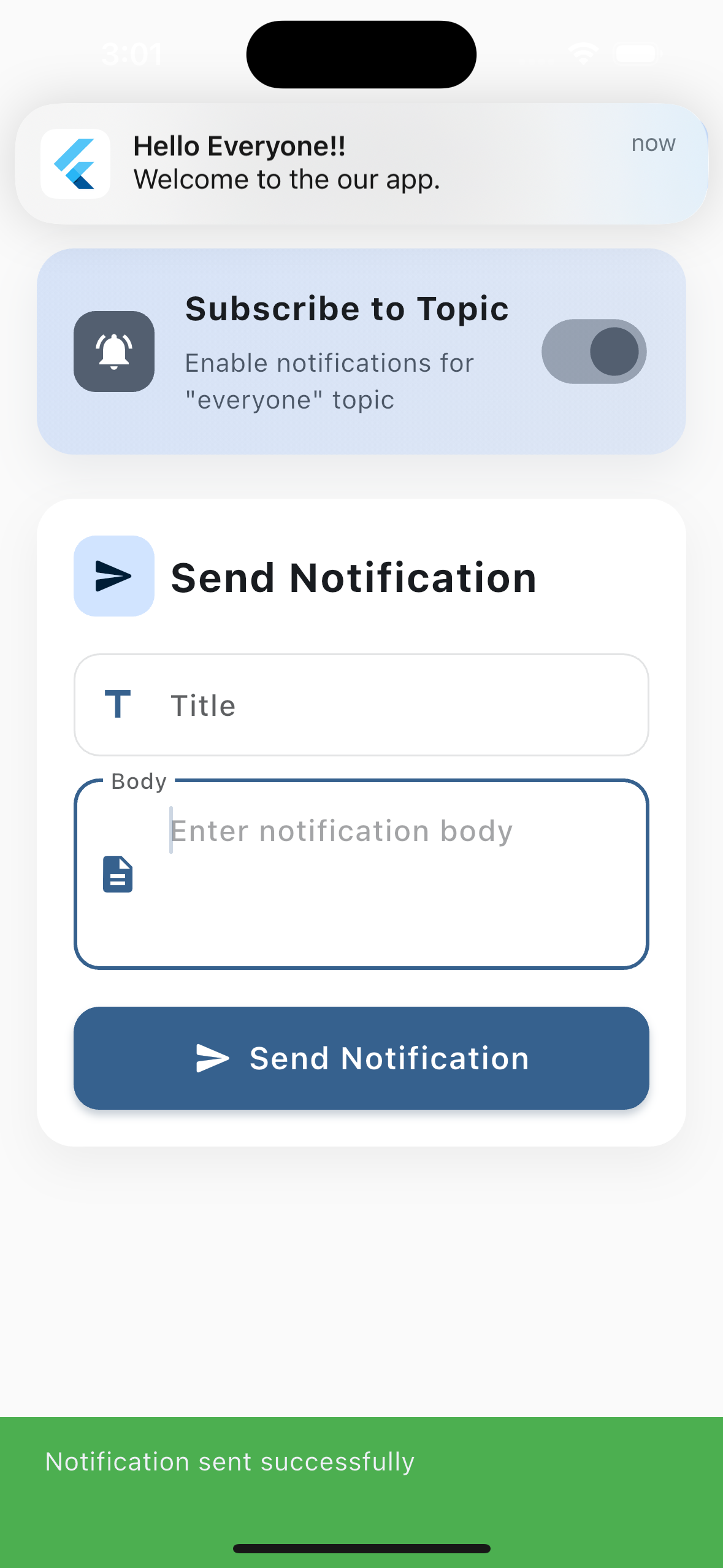
When to use which
Token notifications are for messages meant for one user. In an e-commerce app, for example, only that user gets a notification when their order status changes. Topic notifications fit announcements and campaigns, like a discount for everyone or a maintenance notice. For those, a topic is much more efficient than sending to each token.
iOS and backend setup
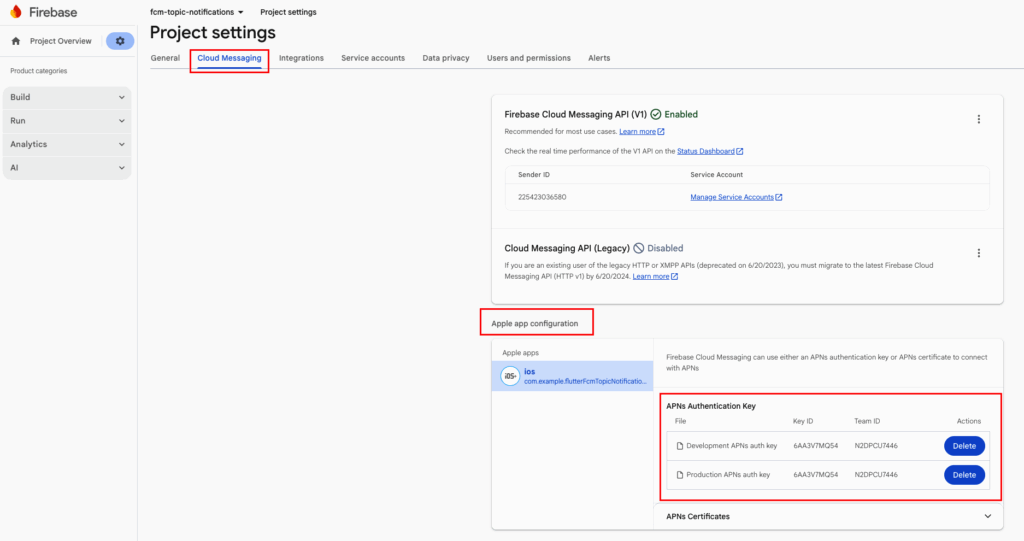
iOS needs APNs (Apple Push Notification service) configured. Upload an APNs Authentication Key or a certificate in the Firebase console to turn on iOS notifications. The Authentication Key is the more modern and recommended option, because one key works for both development and production.
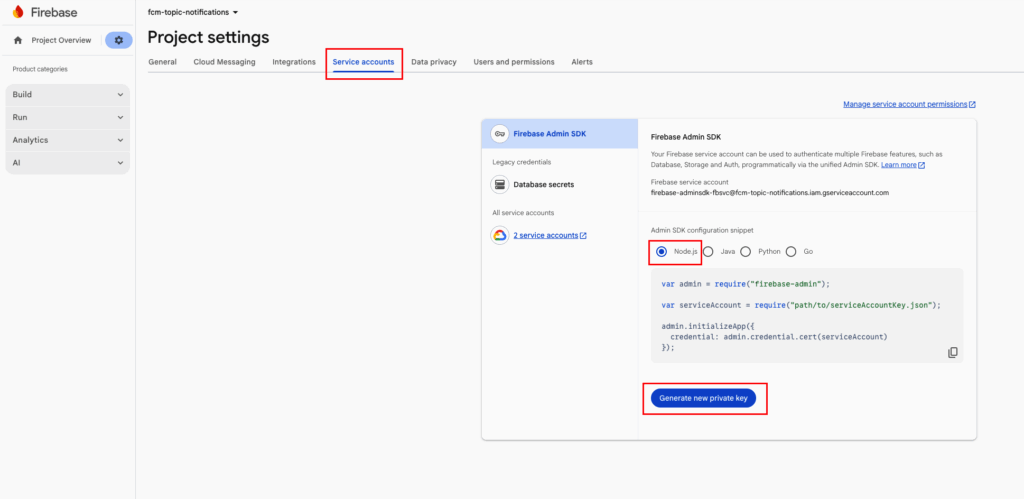
To use the Firebase Admin SDK on the backend, download a Service Account Key and add it to the project. The key lets your server access Firebase services. Never commit this file to version control, and in production use it as an environment variable.
Video and source code
Video walkthrough: https://www.youtube.com/watch?v=oETdrD_Vs5A
Source code: https://github.com/nurullahturkoglu/flutter-fcm-topic-notifications